Doorstep shot-list stepper for a LitBuy parcel
Two questions, then a step-by-step list built from LitBuy's own after-sales article: what to do at the door, what to film and photograph, what to keep, and which material goes to the local carrier and which to LitBuy.
Build your shot list
Your evidence list, sorted by recipient
Working the stepper, one screen at a time
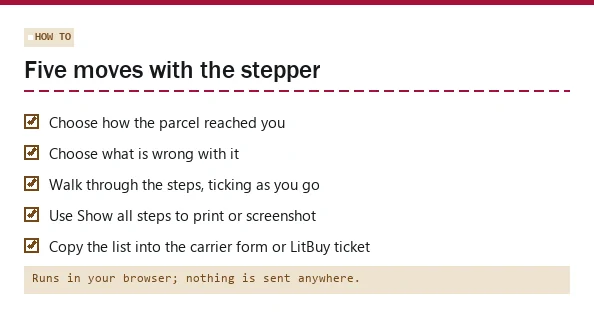
Here is how to use the tool. Pick how the parcel reached you, then what is wrong, and press Build my shot list. Problems that do not fit your situation are greyed out: you cannot film the opening of a parcel that never came. The list appears one step at a time; Show all steps puts everything on one screen if you want to print it.
Tick items as you go. The plain-text list at the bottom updates with your ticks and sorts every line by who receives it: the local carrier, the LitBuy ticket, the things you keep, and the things you simply do. Copy it into the carrier's complaint form, into the LitBuy ticket, or into a note on your phone before you open the door next time.
What the eight stages cover
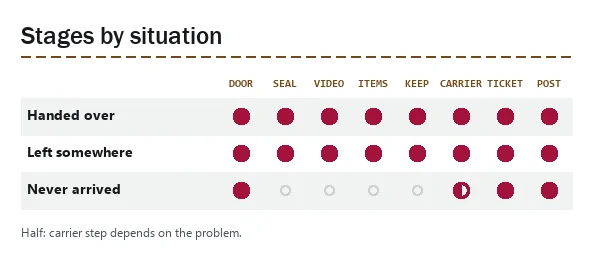
A parcel that is in your hands gets all eight stages: the doorstep, the seal and label photos, the continuous video, photos of the contents, what to keep, the local carrier report, the LitBuy ticket and a final check before posting anything online. A parcel that never arrived skips the four stages that need a box.
The wording inside each stage changes with the problem. A missing item makes the scale photo compulsory; a wrong size swaps the damage close-ups for the size label and the flat lay, and drops the carrier report because LitBuy's table lists no carrier document for it.
Why the stepper never counts days
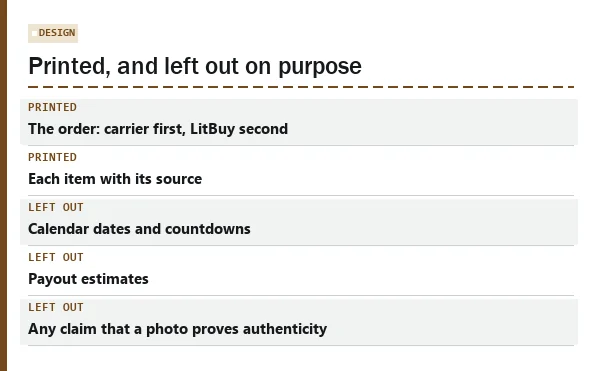
It would be easy to add a date box and print deadlines. We chose not to. LitBuy's pages give the limits in at least four wordings (7 days from the day after Delivered, 7 days of the delivery or expected delivery date, 7 days after delivery or 45 after shipment, 7 calendar days on the seal label), local carriers set their own complaint windows, and the Delivered scan time depends on a time zone you cannot see.
A printed date would look precise and could be wrong in either direction. The stepper identifies the relevant recipient. For delivery damage or missing contents, contact the local carrier within the article’s 48-hour limit and open the LitBuy request promptly; do not wait for the carrier’s decision. Wrong-size and no-tracking cases follow their own paths. For the limits themselves, read LitBuy's own table on the example pictures page.
Where each line in the list comes from
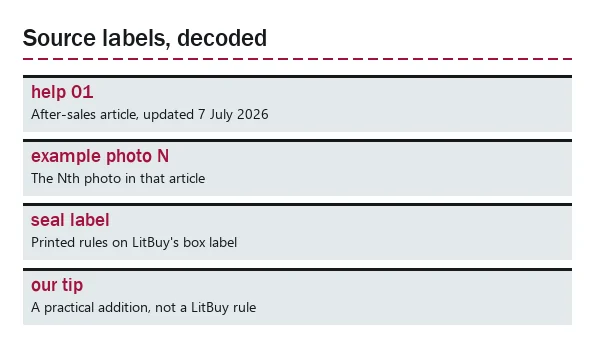
Every item carries a short source in brackets. Most come from LitBuy's after-sales article: scenario 1 for in-person delivery, scenario 2 for lockers and neighbours, the time-limit table, the required-documents table and the eleven example photos, numbered in article order. Others come from the seal label, LitBuy's insurance page, its tracking and out-for-delivery answers, and its Returns and Exchanges policy.
A few lines are marked as our tip or our reading. They are practical additions, such as photographing a box where you found it, and they are labelled so you never mistake them for LitBuy rules.
Combinations we test before each update
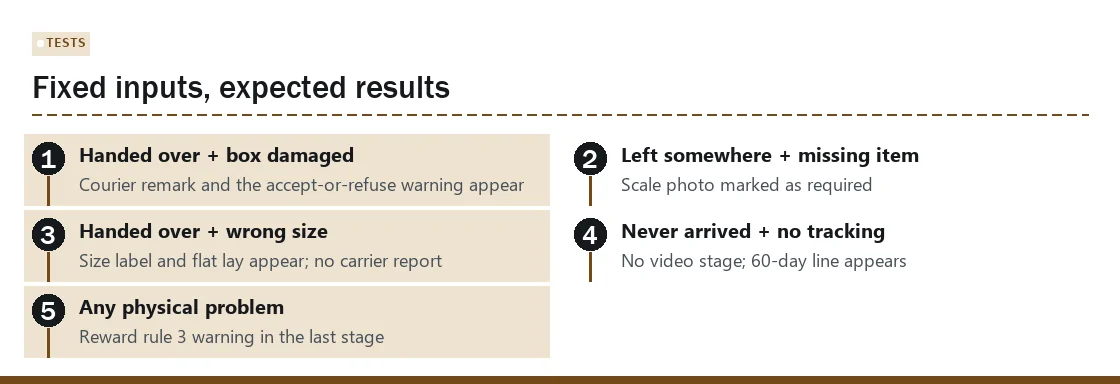
The stepper's logic is a small script with fixed rules, and we run it against fixed inputs before every change: each situation with each problem it allows, checking that the right stages appear and that the right lines are present or absent.
If LitBuy changes its article, the test cases change first, then the tool. The last check ran on 16 October 2026 against the article updated on 7 July 2026.